Utility for creating USB storage device images

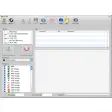
USB Image Tool is a free utility program for PC from developer Atanas Yonkov. It is a portable app that allows users to create backups of their USB flash drives in the form of an image file in GZ or ZIP formats. It will also work with any external device that uses the standard USB Mass Storage protocol.

Top Recommended Alternative

Image backup of your USB drives

Put simply, USB Image Tool lets you create images of USB storage drives to back up their data. It supports flash drives, SD card readers, and anything that uses the aforementioned USB Mass Storage protocol. You can choose between .gz and .zip formats for better compatibility with different platforms.

In the event that your drive becomes corrupted or you want to migrate its data over to a new device, you can then simply restore the image, provided there’s enough storage space available. It also supports operation via your command line if you prefer it that way. Now, do note that this utility doesn’t work with NTFS-formatted storage devices, nor can it perform batch processing.

Unique and handy

Overall, USB Image Tool is a rather unique tool that lets you back up your USB drives with ease in case of failure or migration purposes. It’s fast and portable, easy to use, and is available for free. If you’re in need of such a program, give this one a try and experience it for yourself. Recommended.


  • Pros

    • Free and portable
    • Supports all USB Mass Storage protocol drives
    • Easy to operate
  • Cons

    • No batch processing
    • No support for NTFS
 0/1

App specs

  • License

    Free

  • Version

    1.9.1.0

  • Latest update

  • Platform

    Windows

  • OS

    Windows 11

  • Language

    English

  • Downloads

    600

    Last month's downloads

    • 64
  • Size

    848.04 KB

  • Developer

Program available in other languages


User reviews about USB Image Tool

Have you tried USB Image Tool? Be the first to leave your opinion!

Add review

You may also like

Explore Apps

Latest articles

Laws concerning the use of this software vary from country to country. We do not encourage or condone the use of this program if it is in violation of these laws.
Softonic

Is USB Image Tool safe?

100/100

Score result: Clean

This file passed a comprehensive security scan using VirusTotal technology. It is safe to download.

  • Virus free
  • Spyware free
  • Malware free
  • Verified by Security Partners

    VirusTotal logo

Scan Info

Last scan
Saturday, May 31, 2025
Scan provider
VirusTotal · Full report

File Integrity

File
usbit.zip
SHA256
c7cc951a3ddb832f78232fe8619981deca1c379d8a4286c21d9cf553c626e8a5
SHA1
6b47f08f0b3a59366a306b5b8b0272076778631f

Softonic security commitment

USB Image Tool has been thoroughly scanned by our advanced security systems and verified by industry-leading partners. This file comes from the official developer and has passed all our security checks, showing no signs of viruses, malware, or spyware. For more information, visit our Security and Trust Center